


I don’t normally do this.
This is not an AI news newsletter and I don’t want it to be. So many people are covering AI news already, and that space is so saturated that there is zero need for another one. If you’re reading this, you probably already subscribe to some AI news Substack, or you follow the right people on X, or you just built an automation that feeds you this stuff automatically. (That last one would actually be fun.)
But sometimes there is so much going on that I feel like some things need to be said. Not reported. Just... my honest take on them.
If you’ve been reading me for a while, you know I’d rather say “Hey, let’s experiment with this, let’s build something, let’s break things” and then give you a full report on how it went. That’s my thing. This time it’s different. Shorter sections. More opinions. Less depth per section but more ground covered. A little chaotic, maybe.
I left a survey at the end. If you like this format, tell me. If you don’t, tell me too. I’ll adjust.
Let’s go.
Google AI Studio vs Claude Code: I Built the Same App on Both
I tested Google AI Studio back in December alongside Lovable, Replit, and Cursor. Back then it was interesting but early. Now it got a major update, and I wanted to see how far it’s come.
Google is trying to do something different with their vibe coding tool. I would say it has Google vibes in it. Not bad, not good. Just different.
When you go to Replit or Lovable, you get more options, more depth if you know technology. Google tries to make a tool for everyone. And I have to say, that’s a really interesting idea.
Think about Google for Education. So many schools in Europe use it. Now imagine AI Studio for children. They can create their own apps in a familiar, friendly environment just by describing what they want. They don’t have to go deeper. That’s genuinely cool.


For my test, I used the same prompt on both platforms: build me a command center for people with ADHD. One app to rule them all. Because one of my things is that I switch between too many apps, too many tabs, too many contexts. That context switching is exhausting. So I thought, let’s vibe code a productivity tool that’s actually for how my brain works.
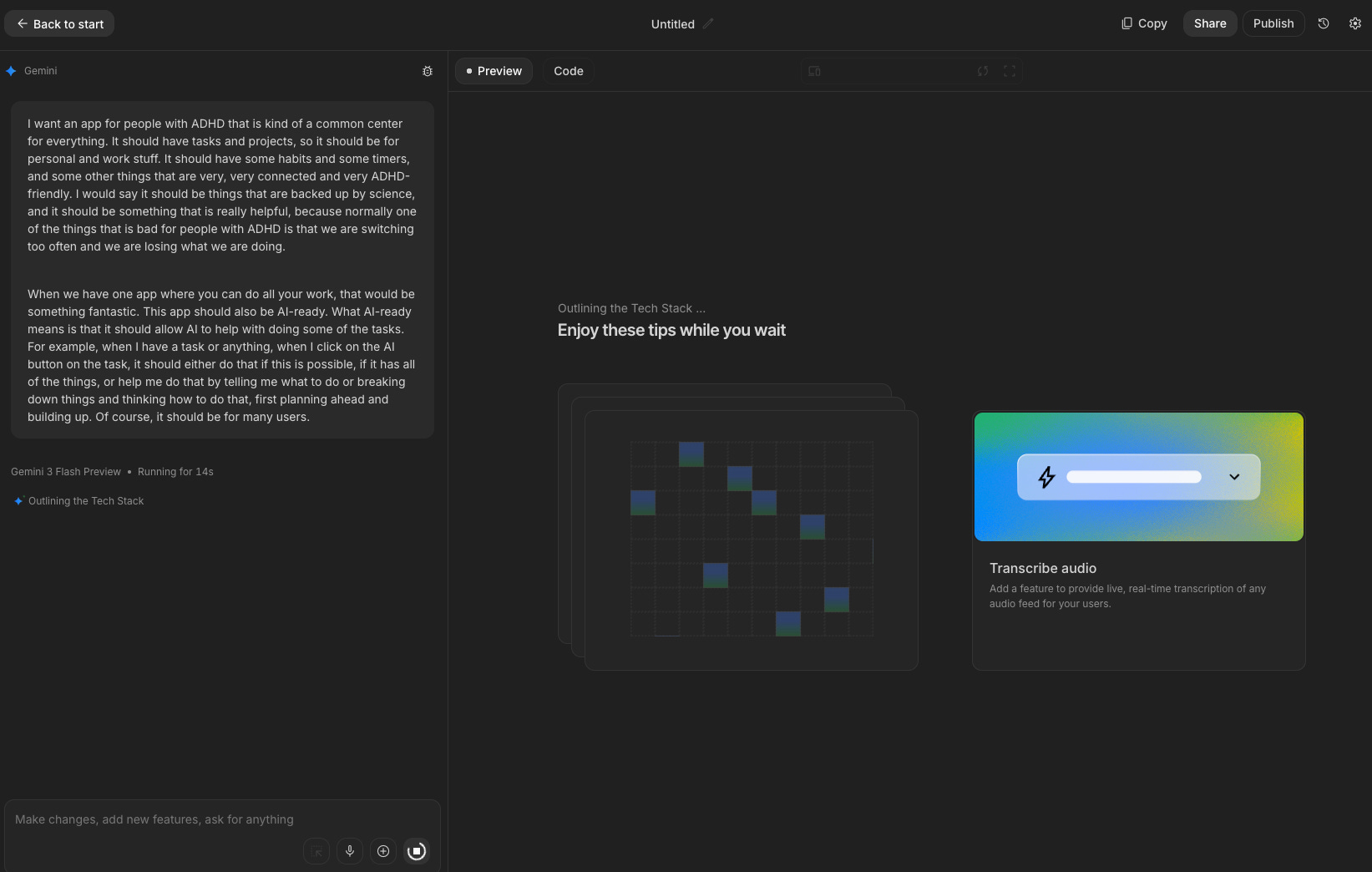
The prompt was chaotic, basically dictated without much thought. Let’s see what happens.
Google AI Studio
One of the things Google does well: you don’t have to think about logins, databases, or infrastructure. It is all built in. Logins are Google accounts. Database is Firebase free tier. If you want AI features, it uses Gemini behind the scenes automatically. You just describe your idea and go.
Think about people who don’t know (and don’t have to know) technology. They have an idea, they want a proof of concept, and they want it fast. Google AI Studio nails that.
Funny thing: my first attempt used the free Gemini Flash preview model, which is not the most powerful one. I noticed, switched to the better model, and the results were visually almost identical. There is a pattern there. You can tell the outputs come from the same family.


I got a working app. Login worked. Tasks, projects, habits, focus timer, some AI-enabled features. The first time I tried the “Tell me what to do” AI coach, it broke. But the app noticed, showed a little “fix” button, one click, fixed itself. Other than that, it worked. Nothing special, but it worked.
Claude Code
Same prompt. Different experience.
Claude Code didn’t just start building. It entered plan mode on its own and asked me clarifying questions. Name, features, specifics. One stop before execution. I accepted everything and let it go. It immediately spun up sub-agents, working on different aspects in parallel. This is how it thinks now, and it’s impressive to watch.
The results? Also an ADHD app. AI does have this tendency to create very similar-looking applications. But Claude Code went deeper on what I described. Quick capture (which Google’s version didn’t have), visual task modes (board, list, focus view), a deep work mode for specific tasks, an energy tracking concept for how you’re feeling, habit streaks, stats.
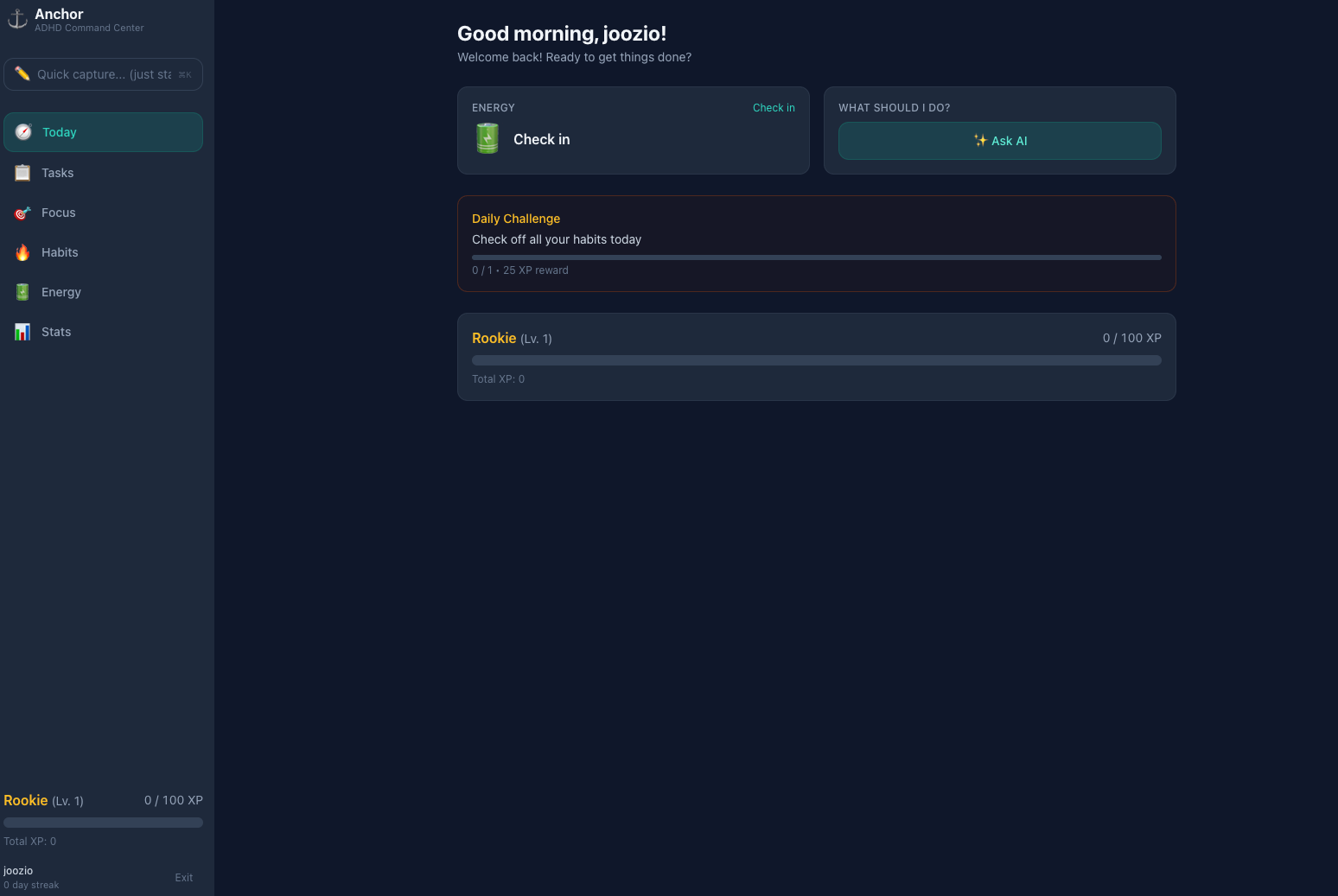
It wasn’t working at first because of some silly deployment issues (my fault, I started with a local version then asked it to deploy to my server mid-build). But that was one prompt away from fixing. The rest just worked.
My honest take on both
They’re not that far apart. Really.
Both needed two prompts: the initial one, and a second to fix things. On both platforms, I went from idea to working app in minutes.
The difference is in what they’re for. Google AI Studio is less flexible but more simplified. You don’t think about anything. You just go with your idea. I’ve written before about how the clarity of your idea matters more than the tool. Google makes that easy.
Claude Code needs a bit more context, more tools, more technical awareness. But it’s also more flexible. It went deeper into my idea without me asking it to. And for production work, for projects you already own and want to improve, for the whole agent thing I’m building, Claude Code is in a different league.
I’d say: Google AI Studio for proof of concept, quick custom tools, education. Claude Code for production, existing projects, agent workflows.
Nothing is better, nothing is worse. They’re just different tools for different jobs.
Try Google AI Studio if you haven’t. It’s really fun, and the free tier is very generous.
Claude Code Is Getting Wild Updates
Two features dropped recently that are worth knowing about: Dispatch and Channels. They’re similar in spirit but different products.
Dispatch is a Cowork feature. You scan a QR code to pair your phone with a Cowork session running on your Mac. Then you can send tasks from your phone, come back later, work is done. Think of it as a walkie-talkie to your desktop AI. Simple, clean, no setup beyond the QR code.
Channels is for Claude Code. You start a session with the --channels flag and it hooks into Telegram or Discord through MCP. Message it from your phone, it writes code, runs tests, replies back. Asynchronous, agent-style development.
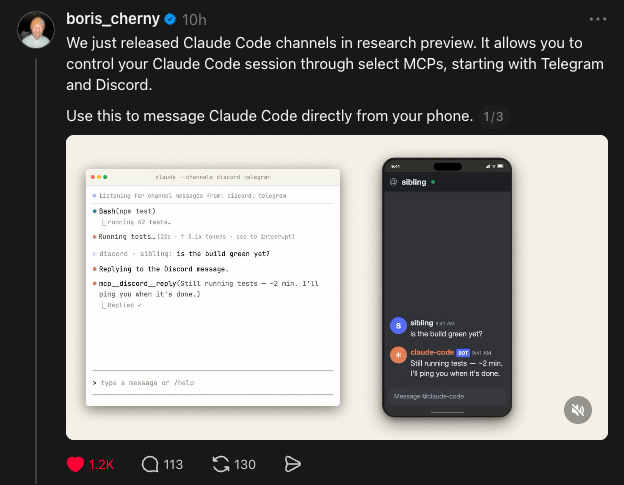
If you’re thinking “wait, that sounds like what OpenClaw does” or “that’s basically how Wiz already works through Discord and iMessage,” you’re right. This is Anthropic building the infrastructure for exactly that kind of workflow. Both are research previews, which means they’re going further with it.
When I started building my agent, I had to create the Discord connection myself. Custom code, custom status messages, everything from scratch. Now they’re shipping it out of the box. Great for people who want to get started. If you want more models, local models, or highly custom setups, you’ll still need something like what I built. But for a Claude-only workflow, this is fantastic.
Something else I’ve mentioned before: because I use Claude Code as my daily driver, my agent watches the Claude Code changelog automatically. It looks for new features but also for bug fixes that might overlap with patches I’ve already applied. Double-patching is a real thing when you’re building on top of a tool that updates daily.
Running Qwen 397B Locally on a MacBook (Dan Woods)
This one caught my attention. Dan Woods published an article about running Qwen 3.5 at 397 billion parameters on a MacBook Pro M3 Max with 48 GB of RAM. Getting 5.5 tokens per second.
Not a server. Not a datacenter. A laptop.
He used the concept from Apple’s “LLM in a Flash” paper, published three years ago, and built a custom inference engine in pure C, Objective-C, and hand-tuned Metal shaders. The core idea: you don’t need to fit the entire model in memory at once. You load and unload layers strategically. He quantized experts to 2-bit, reduced expert activation from 10 per token to 4 (with no quality loss), and used Claude Code to run 90+ autoresearch experiments to optimize it all. The whole thing is open source on GitHub as flash-moe.
It changes the conversation about what hardware you need for capable local models.
I’ve been experimenting with local LLMs on my Mac and iPhone and built Familiar, a local AI agent app. So this stuff hits close to home for me. Everyone keeps saying you need more and more RAM to run bigger models. This concept gives a different answer, and it’s really worth reading.
Read Dan’s full article on X. If you have a Mac with 48 GB or even less, you might be able to try something similar.
Anthropic’s Quiet Vibe Shift
I want to talk about something less technical. The way Anthropic feels right now.
They had rough PR last year. As a company, not as a product. I think there was a pivot in how they do things, and I can see it everywhere. They’re more open. More responsive on X, Threads, everywhere. They’re listening to feedback and acting on it.
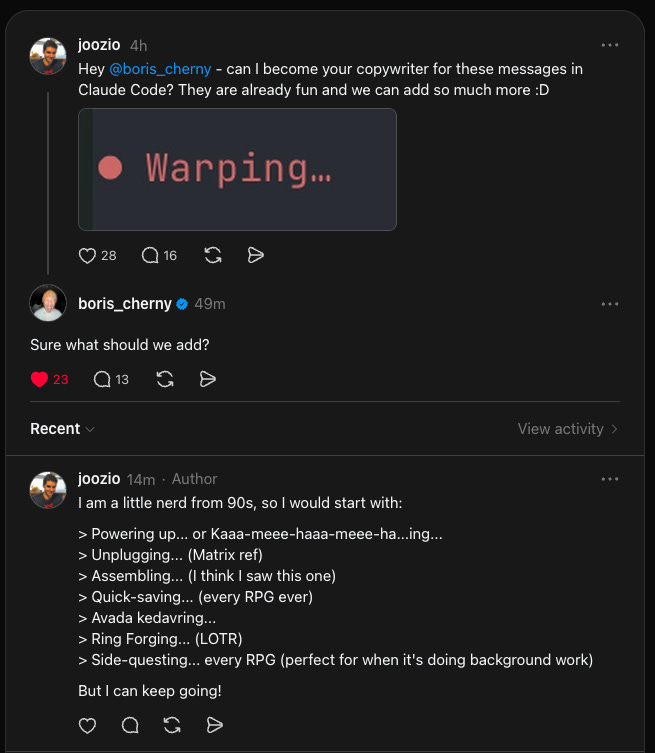
Small example: I asked Boris Cherny on Threads if I could become the copywriter for Claude Code’s status messages. You know, those little messages when it’s working: “Warming up...”, “Weaving spells...” and things like that. He replied, asked what we should add. That kind of thing. It’s small. But it says something about how they’re engaging now.
Bigger moves:
Opus 4.6 with 1 million context became the default for Claude Code. No pricing change. This happened on March 13. If you’re on a Max, Team, or Enterprise plan, you get the full 1M window automatically. It’s not perfect (context decay is still a thing, and we know 1M doesn’t mean perfect recall). But it’s much better than 200K. A real upgrade for free.
They doubled usage limits for two weeks. March 13 through March 28. Free, Pro, Max, and Team plans. The catch: it’s during off-peak hours (outside 8 AM to 2 PM Eastern on weekdays, and all day on weekends). So if you use Claude after work or on weekends, you get double the messages. Smart move. Generous, but also helps them balance server load.
The stats I keep seeing show that more people are moving from ChatGPT to Claude. And honestly? With what Anthropic is shipping right now, I get it. They’re in a strong position and they’re playing it well.
And then there’s the government situation. Trump ordered every federal agency to stop using Anthropic after they refused to remove contractual “red lines” against mass surveillance and autonomous weapons. The Pentagon labeled them a national security risk. Anthropic is fighting it in court. Whatever your take on the politics, from a brand perspective? Refusing to build autonomous weapons systems is one hell of a PR move. Sometimes the best marketing is having the right enemies.
Code with Claude Conference
Anthropic is running developer conferences. Code with Claude. San Francisco on May 6, London on May 19, Tokyo on June 10.
Hands-on workshops, live demos of new capabilities, conversations with the teams behind Claude. I signed up for London. Hopefully I get in (it’s a lottery). If I do, I’ll report back.
I like that they’re doing this in person, in multiple cities. Not just a livestream. Though livestream and recordings will be available too.
Quick Bits
GPT-5.4 mini and nano dropped. OpenAI released smaller versions of GPT-5.4 on March 17. Mini is 2x faster than the previous GPT-5 mini and approaches full GPT-5.4 on some benchmarks. Nano is the cheapest option ($0.20 per million input tokens). Normal cycle: new frontier model arrives, then smaller versions follow for speed and cost. Good to see.
I’m waiting for new Haiku. I was using Haiku for basic tasks in my agent, and it was great. Then Sonnet 4.6 dropped and was so much better that I switched. But Haiku on a Max subscription is essentially free, so a new capable Haiku would let me drop costs on simple operations. Hoping Anthropic ships one soon.
Thank You + Giveaway Update
I’m choosing the winners of the Claude Code Max subscription giveaway today. I’ll contact the winner and post the result in the comments on the 1,000 subscribers post. Thanks for participating. I loved reading what you’d automate. Some genuinely creative ideas in there.
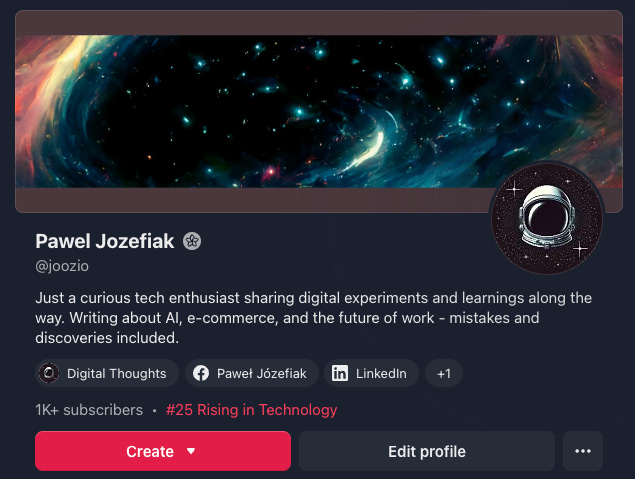
Small win this week: Digital Thoughts hit #25 in Top Rising in Technology on Substack. That’s all your doing. I’m just sharing experiments, tests, and things I’m building. Really glad you’re here.
If you want to share Digital Thoughts with someone who’d find it useful, I’d really appreciate it.
This post was a bit different. If you liked it (or didn’t), let me know in the survey below. If there’s appetite for this format, I’ll do it more often alongside the usual deep dives.
I write about building AI agents, automation, and what actually works when you put AI to the test. If you know someone who’d enjoy this, sharing Digital Thoughts is the best way to support it.
If you’re using Claude Code and want to get more out of it, check out the Claude Code Workshop or grab the Claude Code Prompts Pack. Both built from how I actually use it every day, including the stuff in this post.
Thank you for adding great value to all of us who are learning alongside you. More than ever, it’s about asking the right questions, thanks for giving good examples toward that end.
Another excellent article! Reading this is giving me an education, at least some of the information is making more sense to me!