

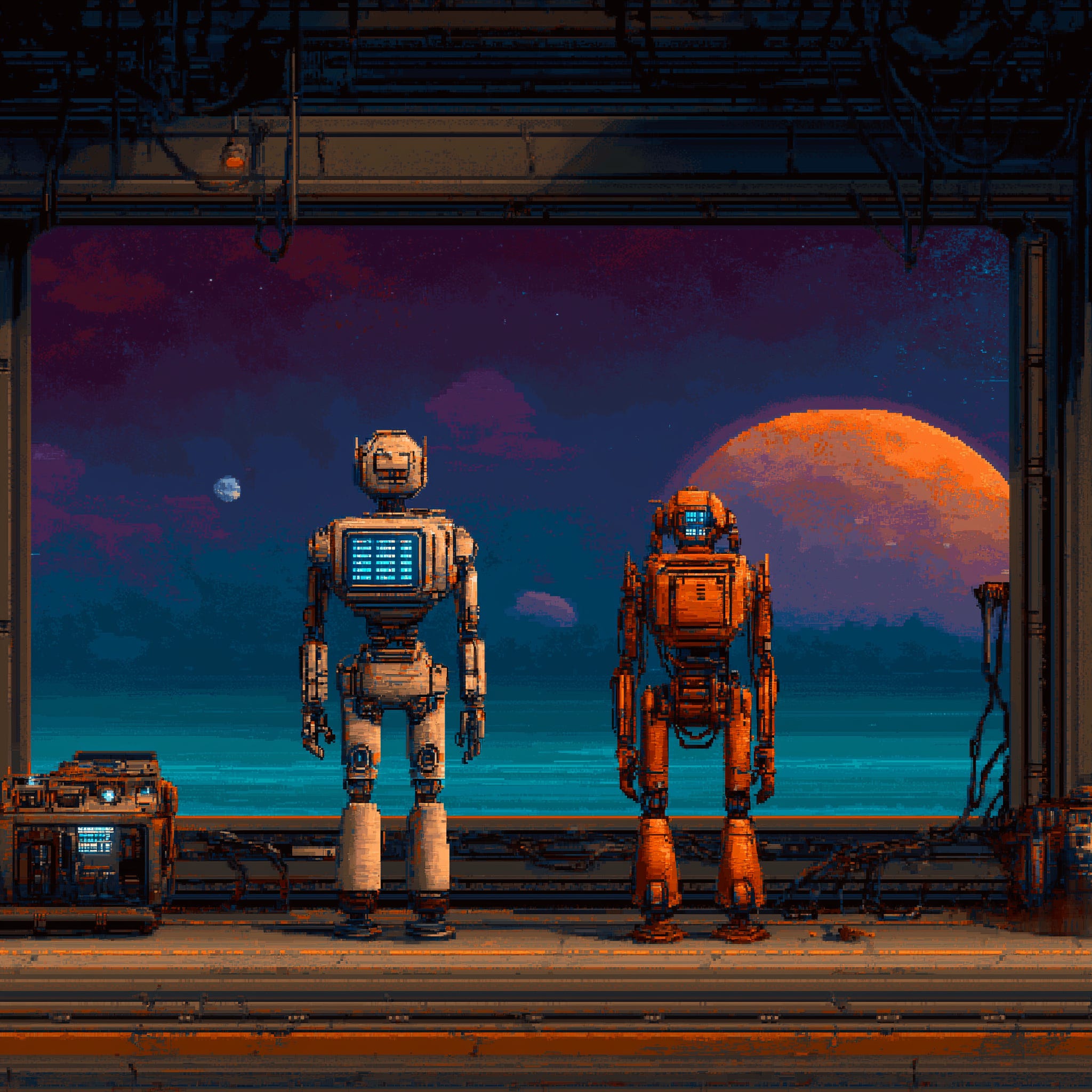
I tested Claude’s new agent features for a day. Cowork, Dispatch, computer use, Claude Code in the desktop app. All of it.
My honest take: Anthropic is getting close. Not there yet, but close. And the direction they’re going is exactly right.
For context, I’ve been building my own AI agent for months now. It lives on a dedicated Mac Mini, runs 25 background processes, manages my email, does research, writes drafts, and talks to me through iMessage. So when I look at what Anthropic just shipped, I’m not comparing it to ChatGPT or some chatbot. I’m comparing it to what I already have running 24/7.
That changes the perspective quite a bit.
Everyone Wants to Live on Your Desktop Now
Before I go into my hands-on experience, let me zoom out for a second. Because what happened in the last two weeks is kind of wild.
On March 11, Perplexity announced Personal Computer. It’s literally an always-on Mac Mini running their AI agent software 24/7, connected to your local files and apps, with cloud AI doing the thinking. Sound familiar? That’s basically what I built. Except they sell it as a product.
On March 16, Meta launched Manus “My Computer.” Same idea. Their AI agent, which they acquired late last year, now runs on your Mac or Windows PC. It can read and edit your local files, launch applications, execute multi-step tasks. Free plan available, paid at $20/month.
On March 23, Anthropic shipped computer use, Dispatch, and Channels for Claude. The update I’m reviewing here.
Three major AI companies. Three “agent on your computer” launches. Two weeks.
This is not a coincidence. The entire industry is converging on the same insight: the future of AI is not a chat window. It’s an agent that lives on your machine, has access to your stuff, and works while you’re away. I’ve been saying this for a while. Now everyone is racing to build it.
The App Is Just... Nice
Let me start with something that’s easy to overlook. The native Claude app is polished. Really polished. And that matters more than people think.
When you’re building your own stack of tools and APIs and custom scripts, you’re probably alone in this. You’re doing other things. Anthropic has an army of programmers keeping their app stable and fresh. The experience is just good, and that’s hard to replicate on your own.
Claude Code in the desktop app feels similar to what I use every day in the terminal. Nice UI, conversation history on the left pane. Nothing super flashy. You can get a similar experience with a good terminal app like Ghostty. But then there are things that are genuinely useful.
The visual diff review lets you click on any changed line and leave a comment. Claude reads your comments and makes revisions. It’s like having a pull request review built into your editor, except the reviewer also fixes the code.
Parallel sessions with automatic git worktree isolation. Each session gets its own copy of your project. Changes in one session don’t touch others until you commit. I know teams at companies like incident.io who have been doing this manually with Claude Code CLI. Now it’s just a button.
Live app preview with an embedded browser. Claude starts your dev server, takes screenshots, inspects the DOM, clicks elements, and fixes issues it finds. Auto-verify after every edit.
PR monitoring with auto-fix. Push a PR, and Claude watches the CI status bar. If checks fail, it reads the failure output and tries to fix it. If everything passes, it can auto-merge (squash). This alone would save me hours.
What’s worth noting is that the agentic stuff actually works inside the app. It follows your instructions, respects your project settings, reads your CLAUDE.md files. If you’re already using Claude Code in the terminal, the app version is a comfortable step up. And if you’re comparing it to OpenAI’s Codex, which I also use, the experience is different. Codex leans toward cloud-first async delegation. Claude Code desktop is more local-first, developer-in-the-loop. Both have their place. For my daily work, I still prefer the terminal. But I can see how the desktop app is the better entry point for most people.
Cowork: A Good Sub-Agent, Not Your Agent
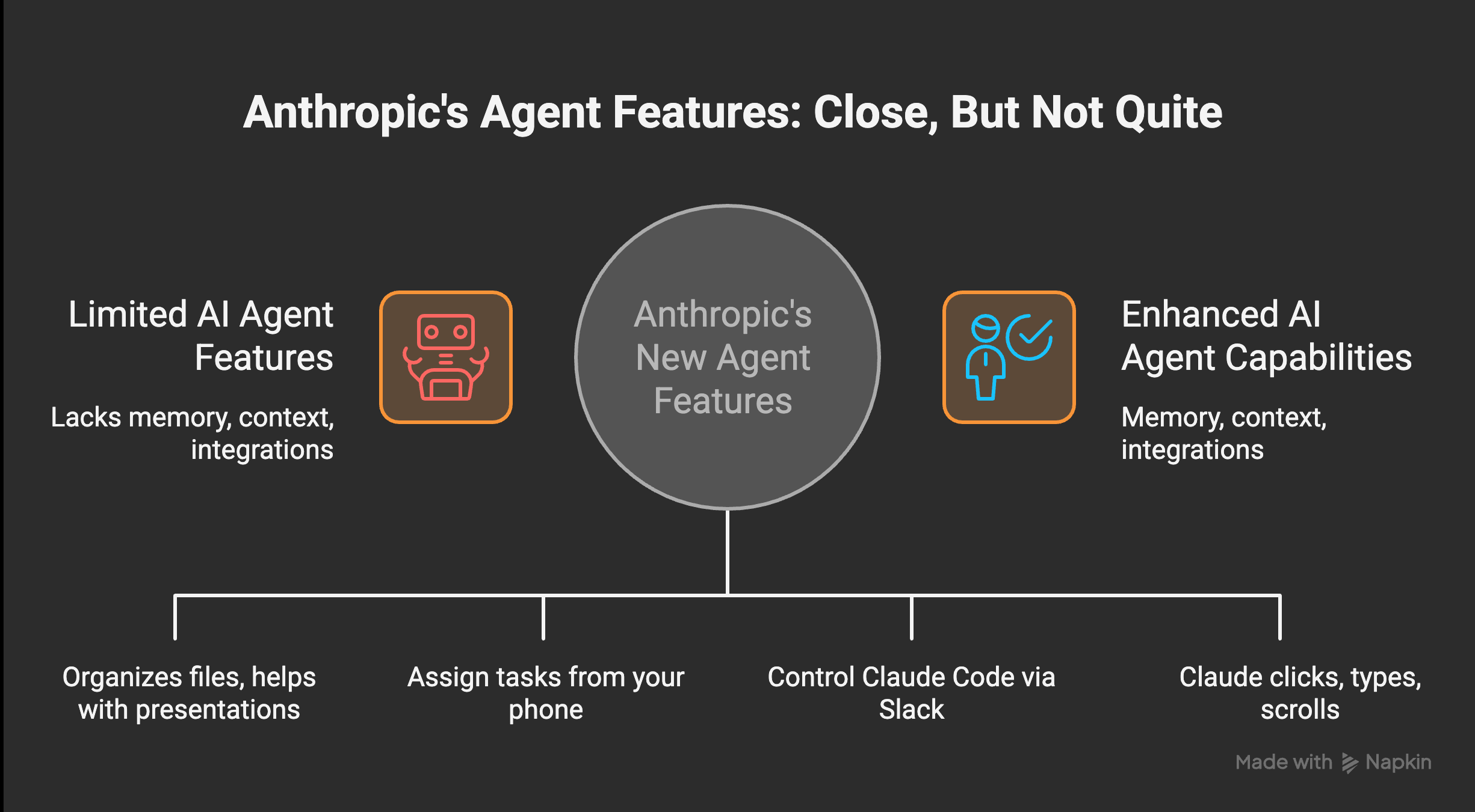
If you don’t know, Cowork is Anthropic’s attempt to give AI hands. Literally. It can organize files, help with presentations, work with Excel, do research. You tell it what you need, and it tries to get it done.
I would say it’s a stripped and limited version of Claude Code, but a quite good version of that. For many things, you don’t need full Claude Code. You just need to get stuff done. Organize your Downloads folder, analyze a spreadsheet, help with a deck. Cowork handles that.
It also now has over 50 connectors. Google Calendar, Slack, Gmail, Linear, Jira, Notion, GitHub, Stripe, Figma, even Apple Health. You click to connect, and Claude can read your calendar, send messages, create issues. This part is genuinely impressive. Building API integrations for 50 services is months of work. Here it’s a toggle.
But here’s the thing. It is not your agent.
Let me explain what I mean. An agent, for me, is something that has memory of things I’m doing with it. It’s conversational over time. It uses tools and skills that are specific to my life. It connects dots between what happened last week and what I’m doing today.
Cowork doesn’t do that. Not yet.
It’s more like a sub-agent that can do tasks. A really capable one, sure. But it operates in isolation. Each session is mostly fresh. My own agent can recall things from a month ago with real detail because I spent two months building the memory architecture. On Cowork, that context just isn’t there.
And this isn’t just my opinion. There’s a January 2026 paper from researchers who looked specifically at this problem. They found that LLMs are “fundamentally limited by their reliance on fixed context windows, which severely restrict their ability to maintain coherence over extended interactions.” The paper argues that AI agents need persistent memory mechanisms that extend beyond their finite context. That’s exactly what I built. And it’s exactly what Cowork doesn’t have.
When my agent knows what I did yesterday, what projects I’m juggling, what my ADHD patterns look like, it gives genuinely better output. It connects dots. Cowork can’t do that, because every interaction is more or less a one-off.
Could you build all of that around Cowork? Technically, yes. But if you have to construct a very specific architecture around a tool to make it work the way you need, then why not just build your own thing? That was my reasoning months ago, and I still think it holds.
Scheduled Tasks: Good, But I Need More
Scheduled tasks are built into both Cowork and Claude Code in the app. You set up something to run on a schedule, and it does its thing. Like cron jobs for AI. If you’ve ever used Zapier or Make, this will feel familiar.
This is actually something I started with when building my own architecture. I have a system of dayshifts and nightshifts that wake up every few hours. They hand over projects between sessions, carry context forward, and pick up where the last one left off.
The built-in scheduled tasks are good for straightforward recurring stuff. Check something daily, pull a report weekly. If you need that, Anthropic’s version will get you there most of the time. You can even set them up from your phone through Dispatch, which is nice.
But if you need sessions that talk to each other, that carry state, that decide what to work on based on what happened in the previous run? That’s where custom tooling still wins. My nightshift doesn’t just execute a script. It reads what the dayshift left behind, checks the error registry, picks the highest-priority task, works on it, and leaves a handover note for the next session. There’s no way to set that up with the current scheduled tasks feature.
And honestly, getting from “scheduled task that works” to “scheduled task that works the way I actually want” involves a lot of trial and error. I went through weeks of debugging my own cron system. The built-in version skips that pain, which is great. But it also skips the flexibility.
Computer Use: Working. Not Impressive Yet.
Anthropic was one of the first big labs to introduce computer use about a year ago. The new version is built right into the desktop app. Enable it in settings, grant Accessibility and Screen Recording permissions, and Claude can click, type, and scroll your screen.
There’s a smart priority system. Claude tries the most precise tool first. If there’s a connector for a service, it uses that. If it’s a shell command, it uses Bash. If it’s browser work and you have Claude in Chrome, it uses that. Computer use is the fallback for things nothing else can reach. That’s the right design.
There’s also an app permission tier system. Browsers are view-only (Claude can see but not type). Terminals and IDEs are click-only. Everything else gets full control. So it can’t accidentally type commands in your terminal through the screen, which is a sensible safety boundary.
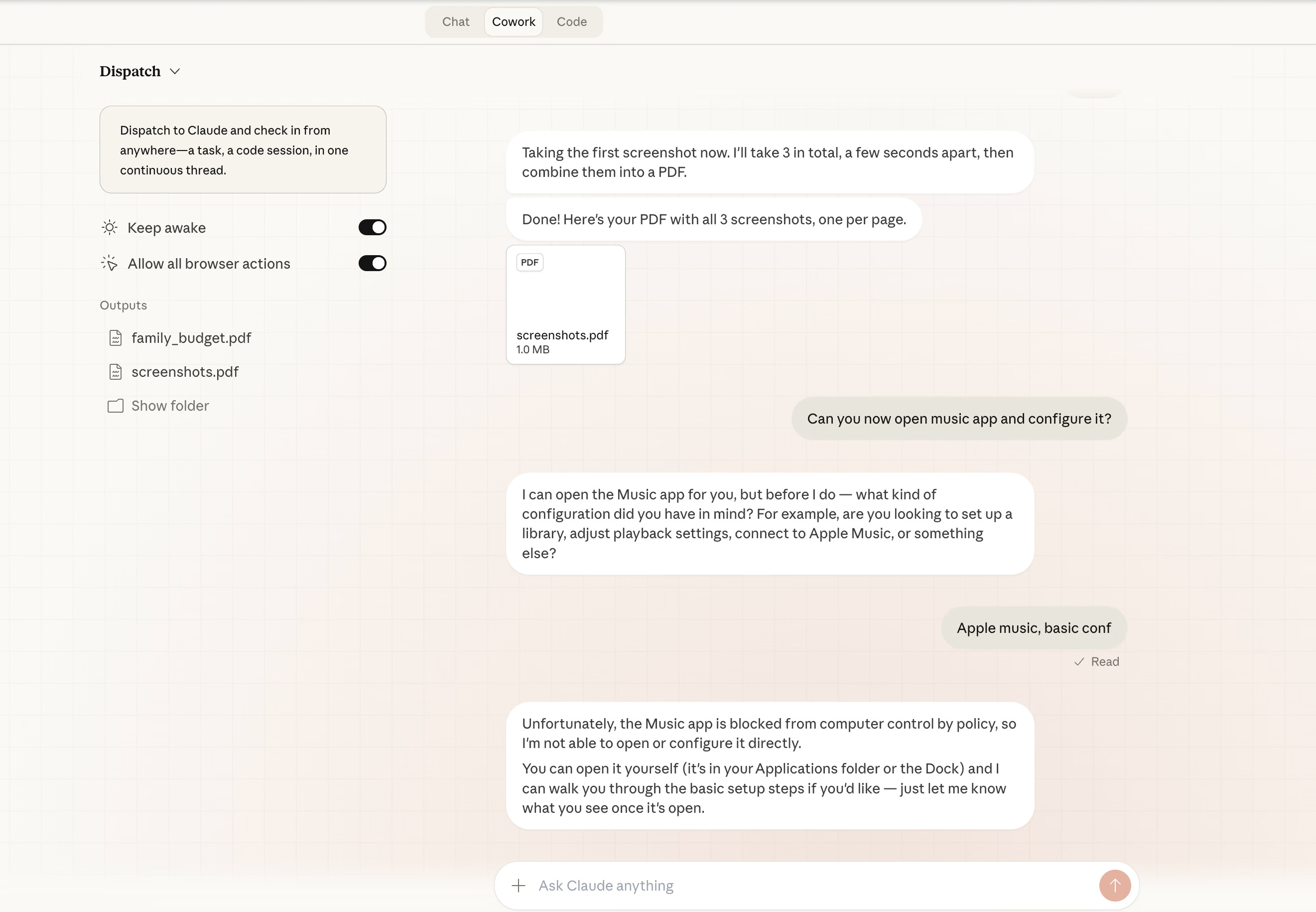
I tested it with several tasks. Screenshots of different things, making a PDF out of them, saving to a specific folder. It handled the screenshots fine. The PDF part was fine too. But then it hit a wall when I asked it to share the result in a specific way.
My experience matches what MacStories found in their hands-on review. They tested 12 different operations and got roughly a 50% success rate. Finding and summarizing data worked well. Executing actions or sharing results was more hit or miss. Dispatch was described as “currently slow.” Opening applications on Mac, sending screenshots via iMessage, listing Todoist tasks... all failed.
The honest take: it works, but it feels basic. My own computer use setup (built with Peekaboo and Playwright) does things in a very similar way. I expected more from Anthropic’s version. It should be fast and really polished, given the resources they have. Instead, it’s... okay.
We’re still in the era of AI taking screenshots and trying to understand what’s on screen. That’s a hard problem. I get it. And this is labeled “research preview” for a reason. Perplexity’s Personal Computer has a similar approach but adds a full audit trail and kill switch. Meta’s Manus requires approval for every terminal command. Everyone is being cautious, which is probably smart.
But I would not rely on any of these for anything critical right now.
Dispatch and Channels: This Is the Real Story
Dispatch is probably the most interesting part of this whole update. You assign Claude a task from your phone, and it works on your desktop while you do something else. It decides whether to route the task to Code or Cowork. It sends you a notification when it’s done or needs your input.
This is exactly the direction I think AI agents need to go. Not just “chat with me and I’ll help.” Instead: “give me a task, walk away, come back to results.”
I built something similar with iMessage. I text my agent, it picks up the message, spawns a session, does the work, and texts me back when it’s done. Dispatch is that same idea, but packaged in a way that normal people can actually use.
One catch: your desktop needs to stay awake with the Claude app running. If your computer sleeps, Claude can’t work. My setup doesn’t have this problem because the Mac Mini runs 24/7 headless. But for most people, this means leaving your laptop open if you want Dispatch to work while you’re out. That’s a real limitation.
Then there’s Channels. This is new and I think underappreciated. Claude Code can now be controlled through Slack, Discord, Telegram, and webhooks. Not just “Claude answers questions in Slack.” It’s Claude Code doing actual development work, triggered by messages in your team channels.
Think about it. You’re on your phone, you message a Slack channel, and Claude Code opens a session, makes a fix, pushes a PR. Or a webhook fires from your monitoring system, and Claude Code investigates and patches the issue. That’s not a chatbot. That’s an agent that lives inside your communication infrastructure.
Between Dispatch, Channels, and the 50+ connectors, Anthropic is building something that looks a lot like what I’ve been assembling piece by piece. iMessage as my interface, Discord for notifications, webhooks for alerts. They’re doing the same thing, but with a polished UI and enterprise integrations.
So Why Am I Not Switching?
Fair question. If Anthropic is building all of this, why do I keep maintaining my own stack?
Because I already have everything I need, and more. My architecture is custom-built for how I work. Multi-model by design. I can switch between Claude, GPT, or any local LLM and I’m not tied to one lab. That matters to me.
My agent has deeper memory, more flexible automation, fewer limitations, and it runs on my hardware under my control. Anthropic is building toward the same kind of experience, but on their infrastructure, with their models only. For people who don’t want to build their own thing (which is most people, and that’s fine), this is fantastic.
There’s also the vendor lock-in question. Right now, with Claude, my Cowork sessions, my Dispatch tasks, my scheduled jobs, my connectors... all of that lives inside Anthropic’s ecosystem. If I want to switch to a different model or a different provider, I lose everything. My custom setup doesn’t have that problem. I moved from one model to another twice already and lost nothing.
And honestly, the Pro plan ($20/month) hits rate limits faster than you’d expect on heavy workloads. Codex on ChatGPT Plus gives 30-150 messages per 5-hour window with GPT-5.4. Claude Pro is similar. If you’re doing serious agentic work for hours at a time, you’ll bump into the ceiling.
For me, they’re catching up.
What This Actually Means
Let me be clear: I’m not saying this to brag. I’m saying this because it tells us something important about where AI is going.
Three companies shipped “agent on your computer” in two weeks. Perplexity turned a Mac Mini into a 24/7 AI worker. Meta put Manus on your desktop. Anthropic gave Claude hands, a phone interface, and 50 service connections. This isn’t hype. This is convergent evolution. Every serious AI lab looked at the same problem and arrived at the same answer.
The answer is: agents need a home. Not a chat window. A home. A machine they live on, with files they can access, apps they can open, and a way to reach them from your pocket. Memory that persists across sessions. Tasks that run in the background. Integrations with the tools you already use.
When one of the biggest AI labs ships features that look like what one person built in their spare time, it means the idea is right. The direction is validated.
Anthropic is packaging it for everyone. Perplexity is selling it as hardware. Meta is giving it away. I’m building it for myself. Same destination, different paths.
If you’re thinking about starting with AI agents, the Claude app is honestly a great place to begin. You’ll hit its limits eventually (I think you will, at least), but you’ll learn what matters. Most companies still can’t figure out basic AI adoption. The ones who do will be the ones who understood, early, that an AI agent is not a chat window. It’s a coworker. And coworkers need a desk.
That’s progress. And I accept that.
Nice, timely piece. I appreciate the direct takeaways.
Totally agree, getting close. I don't think it will be much longer until all the major companies are in fully agentic deliveries.
Dude you are so proud of your memory system that you preach it in every articles :))