


Hi everyone, it’s Pawel here and this is another week of experimentation. This one, I think a lot of you will actually find useful quickly.
Before I get into it: we are almost at 2,000 subscribers. That’s wild. Thank you, seriously. I also noticed lately that my most popular posts are the basics ones. The CLAUDE.md deep-dive, the first AI agent guide. Both are among the most read things I’ve written, which is interesting because those are not what I normally do here. I usually want to go deeper into agents, real experiments, real workflows. Although I now get why the basics matter a lot to people starting out. I’ll write more of them occasionally. If there’s something specific you want covered from the ground up, drop it in the comments.
Today I want to tell you about a piece of software I didn’t even know I needed.
Notes before notes
I’m on a call. Someone says something I need to remember. Not a task, not a project, just one thing I need to hold for the next 20 minutes. Opening Obsidian for that feels like too much. Bear too. Even a new note in the default Notes app has more friction than I want.
That gap is what Antinote fills.
It calls itself “notes before taking notes” and that framing is exactly right. It’s not a replacement for your main note system. It lives between your brain and your note system. Menu bar app, hotkey (⌥+A by default), you type, you move on. Swipe to browse notes, swipe away to create a new one. macOS only for now, iOS is in the works.
But it’s not just a text pad. This is where it gets more interesting than you’d expect.
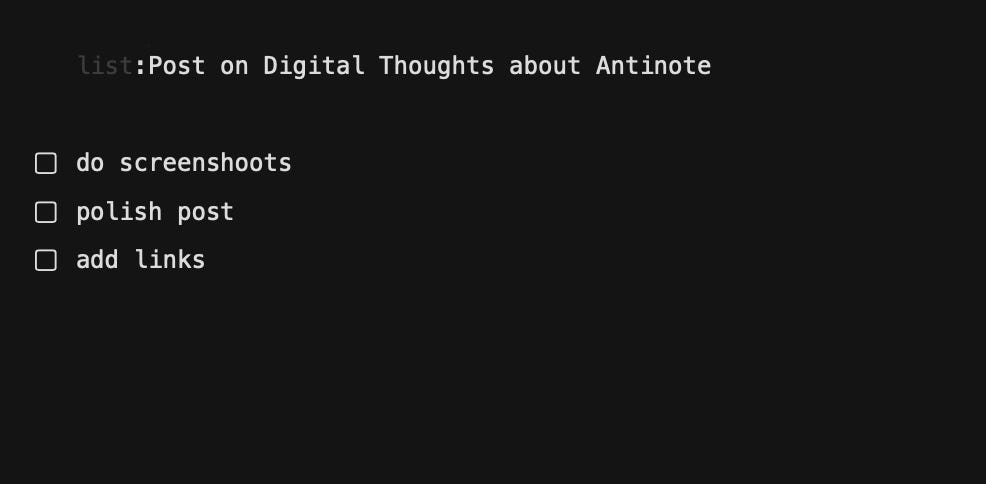
Type math at the start of a note and it becomes a calculator. Supports operators, currency, units. Type todo and it becomes a checklist. Type code and you get syntax highlighting. Not an IDE, more like: I need to write down this config snippet without it looking like garbage.
The one that surprised me most: drag a screenshot onto a note and it extracts the text from it. Local OCR via Apple Vision, nothing leaves your machine. I use this all the time now. AutoPaste, timers, Pomodoro, find/replace with regex. You can export to Obsidian, Bear, Apple Notes when you’re done.
It’s polished. It’s calm. I like it a lot.
Building with AI agents?
If you’re getting value from these experiments, the wiz.jock.pl store has resources I’ve built around AI workflows. Worth a look if you’re serious about running agents that actually work.
The beta is where it gets actually interesting
Standard Antinote is already good. The beta version (v2.0.4+) adds extensions, and this is where I got excited.
Extensions are custom commands you invoke with :: inside any note. There are 140+ official ones across AI, date, finance, text, data. You browse them in Settings and click to install. But you can also write your own. Minimum: two files, manifest.json and index.js. The repo is public on GitHub (github.com/johnsonfung/antinote-extensions).
Commands can insert text at cursor, replace the current line, replace the whole note, or trigger external URLs. API keys are stored in macOS Keychain, so nothing sensitive lives in a config file.
If you’re not comfortable writing JavaScript, there’s an AI Extension Builder. You describe what you want, it generates a prompt for Claude or ChatGPT, you paste the output into the two files and you’re done. Most simple things work first try.
What I wired up
My AI agent Wiz runs on a Mac Mini, reachable over Tailscale. It has memory, tools, full project context. I’ve been building this for months and I wrote about the architecture a few times, including the big identity and self-improvement post if you want context. The point is: Wiz can do a lot if I can get input to it quickly.
I didn’t want to turn Antinote into another terminal. The value is in the lightness. So I built three commands and stopped.
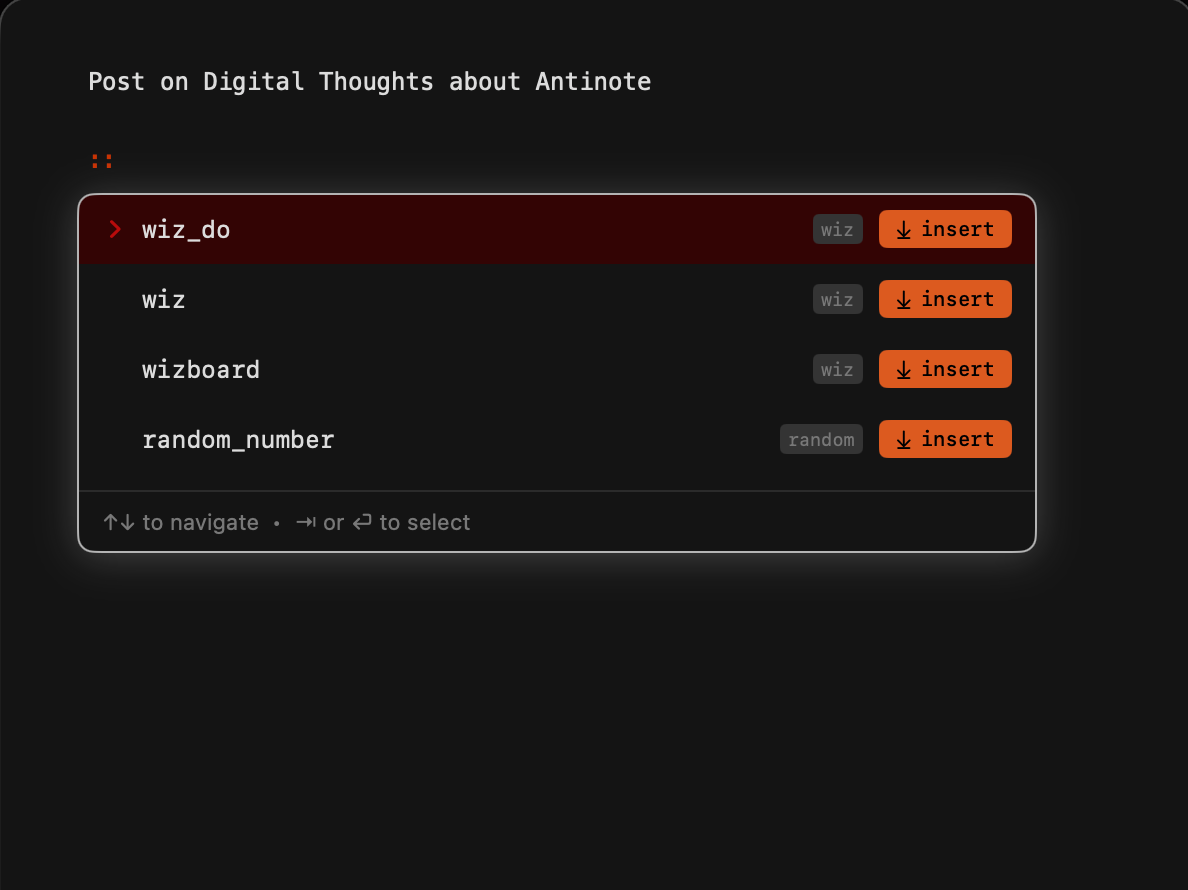
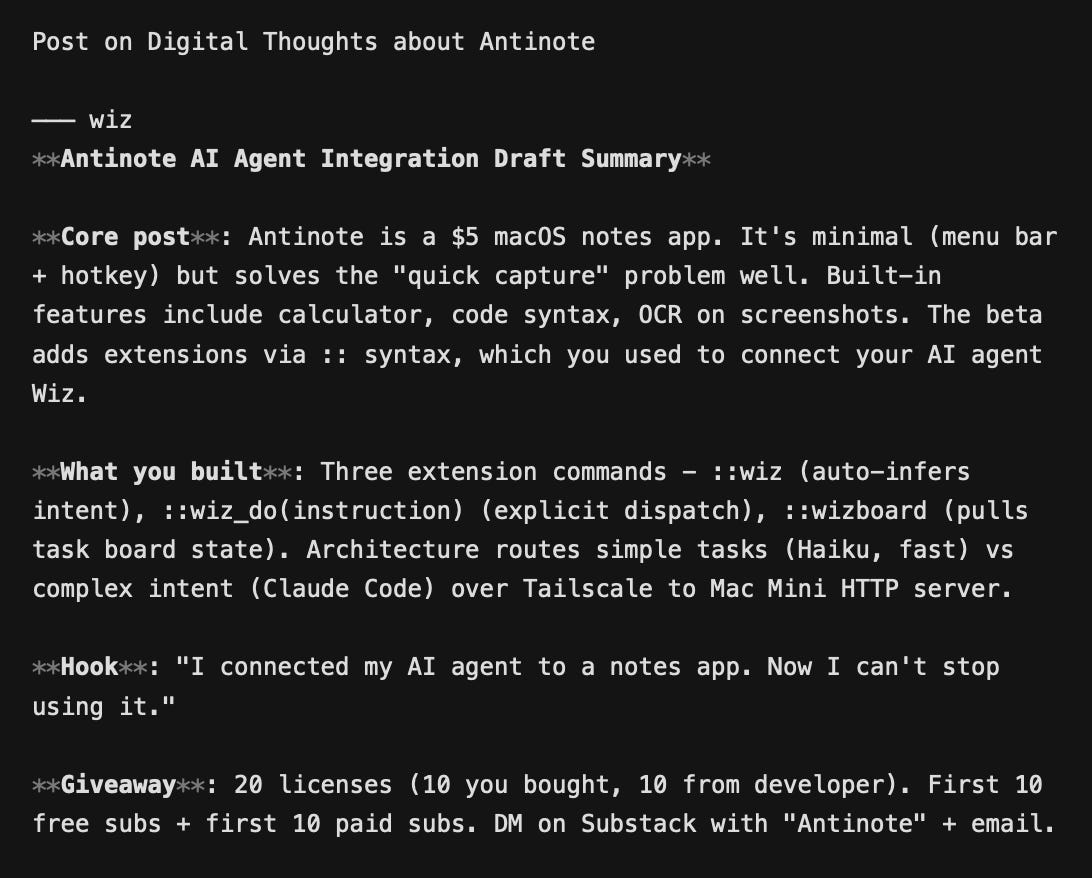
::wiz is the bare command. Wiz reads the note and tries to figure out what to do with it. Looks like meeting notes? It summarizes. Looks like a task? It creates one on WizBoard. Contains a URL? It fetches and summarizes. Most of the time it gets it right.
::wiz_do(instruction) is when I want to be explicit. ::wiz_do(create task), ::wiz_do(draft linkedin post), ::wiz_do(remember), ::wiz_do(stage blog draft). No guessing, just dispatch.
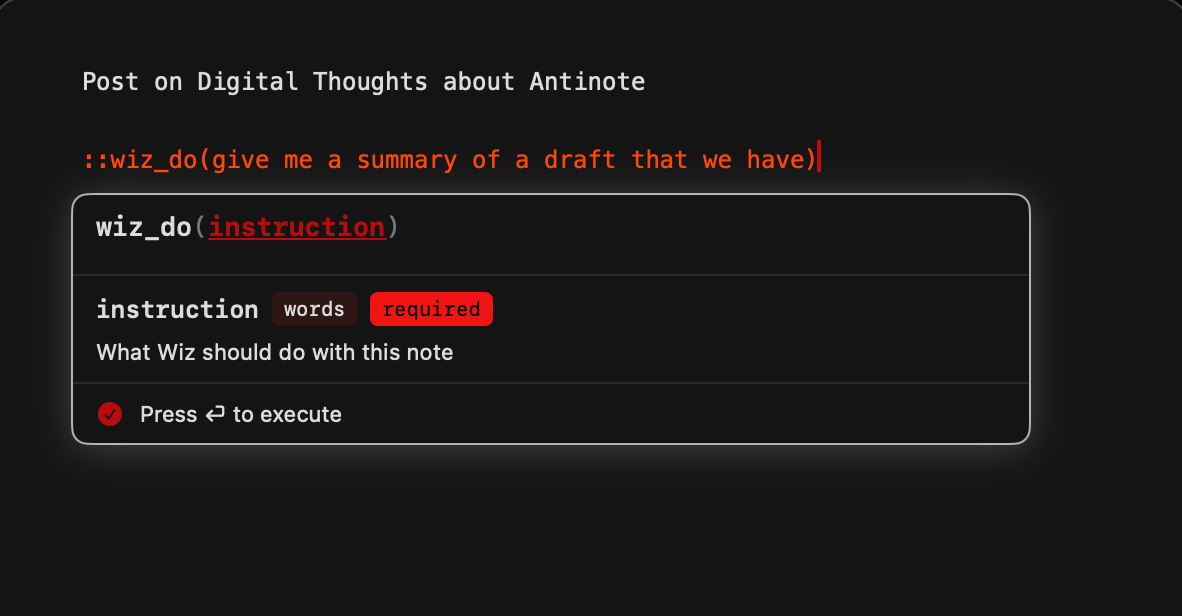
::wizboard(view) pulls task board state into the note. ::wizboard(today) shows what’s scheduled. ::wizboard(now) shows what’s running. I use this during planning to avoid switching apps.
The plumbing: the MacBook extension POSTs to a small HTTP server on Mac Mini over Tailscale. The server routes it, either to a fast path (Haiku, a few seconds) for things like task creation and idea logging, or to a full Claude Code session (Sonnet, 30-60 seconds) when intent is genuinely unclear. First attempts at the intent classifier were shaky, which is why I added ::wiz_do for when I just want to be direct.
It’s not instant. That’s fine. I’m not looking for a chat interface. I’m looking for a way to hand something to Wiz without breaking what I’m doing. This does that.
How to build your own (short version)
You need the beta (v2.0.4+). Settings > Extensions > Open Extensions Folder. Make a folder for your extension, add two files.
manifest.json:
{
  “name”: “my-extension”,
  “version”: “1.0.0”,
  “author”: “you”,
  “description”: “Does something useful”,
  “commands”: [
    { “name”: “mycommand”, “type”: “insert” }
  ]
}
index.js:
async function mycommand(context) {
  const noteContent = context.content;
  return { type: “insert”, content: “processed: “ + noteContent };
}
That’s it. Type ::mycommand in any note to invoke it. If you need an API key, add it to requiredAPIKeys in the manifest and Antinote stores it in macOS Keychain. Access it inside the function via context.apiKeys.your_key_name.
For external calls, use fetch() normally. The extension has network access.
If you’re not writing JavaScript yourself, paste this into Claude or ChatGPT: “I want to build an Antinote extension that [describe what you want]. Give me the manifest.json and index.js files.” Works pretty well. The GitHub repo has real examples too, I’d start there first.
The giveaway
Antinote is $5 lifetime. Not expensive at all. But I think people here will actually use it, so I bought 10 licenses to give away.
I reached out to the developer. He matched my 10 and added another 10 on top. So we now have 20 to give away. That was a nice thing for him to do.
I built a small page to handle it properly. Enter your email, pick your tier (free or paid subscriber), and if a license is still available you’ll get one sent to your inbox with setup instructions.
Free and paid subscribers have separate pools (10 each). Paid subscribers have better odds because it’s a smaller group. Both pools open at the same time. First come, first served.
If you build something with the extensions, let me know. I’m curious what people end up making when you give them a proper hook into their own tools.
See you next week.
Pawel
Want to go deeper on AI agents?
I write about this every week. If you’re on the free tier and getting value from these posts, consider upgrading to paid. You get every post in full, early access to experiments, and, apparently, better odds in giveaways. Upgrade here.
Hello
I can't seem to claim a license from the link provided