


So, Claude Code. I never touched it here, only as a tool to help me push more changes into my little apps, but let’s dive in, what we can do with Claude Code, because what I am predicting is that soon, Anthropic will either create new agentic product with different name and maybe toss some features OR will rebrand Claude Code.
The reason why I think so is because Claude Code started as “Coding Tool”, but ended up as everything agent app. Plus, let’s be honest - I am living in a bubble, where I can see ton of people using Claude Code in so many ways, but the tool itself is not very appealing to normal user. CLI? Or even Claude Code in apps - it’s just so abstract for so many people, who are not tech-natives (or even if they are, they never opened terminal once).
So - I think Anthropic is trying to convince more people to it - more non-tech people. And yeah, I am seeing daily Claude Code hype on all social media and on Substack. I read bunch of these and I have to say that around 80% are repeating the same thing over and over again + not very useful for someone who wants to start using it.
Plus - sometimes something we know is better than something new - if you feel that Zapier, n8n or Make are doing their job - maybe you don’t need Claude Code at all (depends what you need, as I will show you later).
What Claude Code Actually Does
Let’s start from beginning - the obvious use of Claude Code is creating code. With Opus 4.5 it is better than ever, fast enough and it could either create something from scratch...or improve something you have. Either locally or on worktree (Github).
But - the thing is - you can also do things on your computer - like changing/creating files, automating, do website stuff (with Claude Chrome Extension which doesn’t work on Arc - meh).
And here’s where it gets interesting...and where most posts skip the real talk.
Claude Code isn’t just a coding assistant anymore. Through MCP (Model Context Protocol) integration - which I covered in depth before - it evolved into this broader agentic platform. You can connect it to your business systems, automate research, transform data, do all sorts of things.
Sounds amazing, right?
Well...
The Accessibility Problem Nobody Talks About
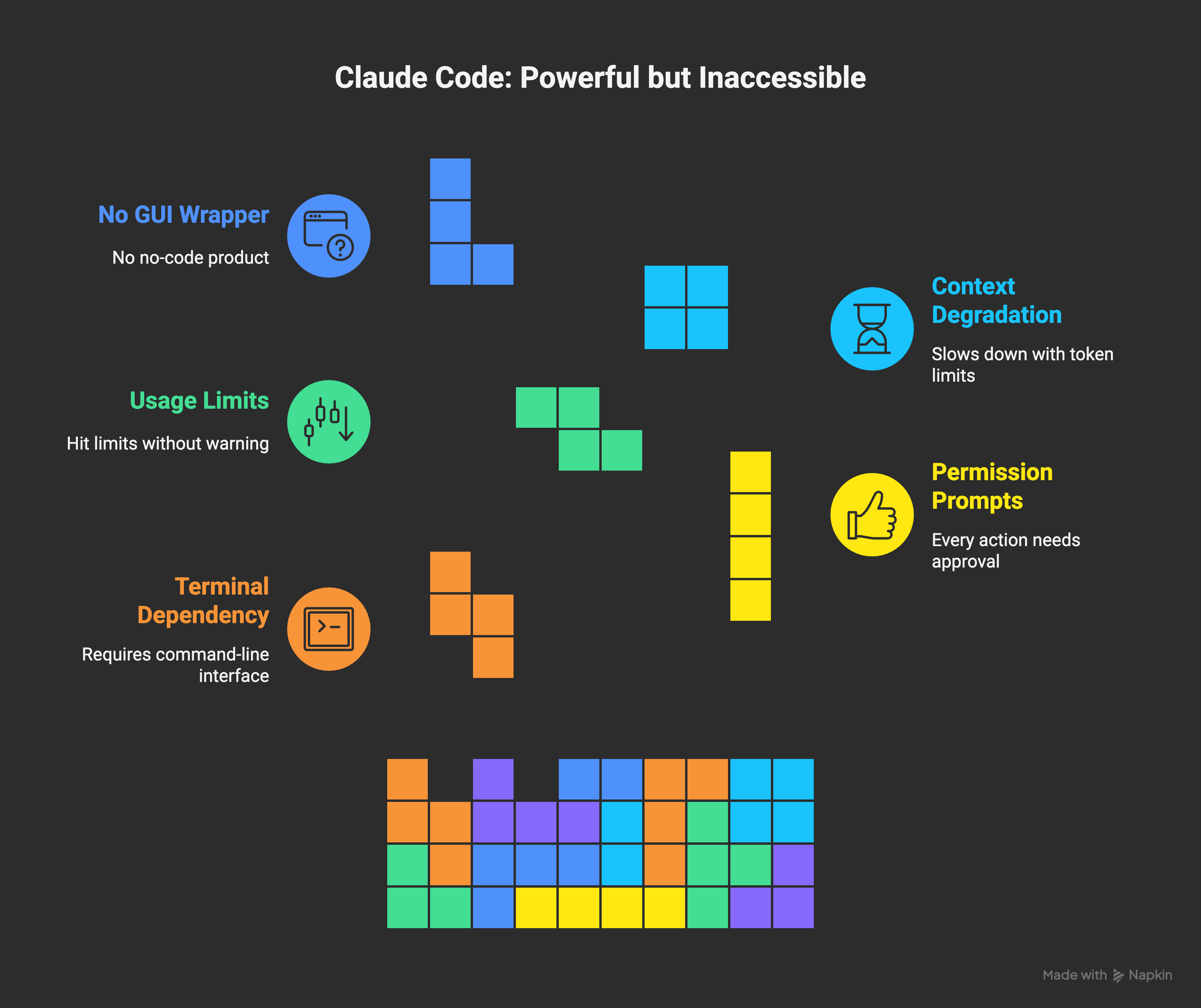
Here’s the brutal truth: Claude Code requires you to use a terminal.
For developers? Cool. For everyone else? That’s where they lose 90% of potential users.
I tested different AI agents side by side - Claude, Manus, Zapier Agents. You know what I found? The most powerful tool isn’t always the most useful tool for your situation.
Think about it:
Zapier shows you a simple UI - click, connect, done
Make gives you a visual canvas where you see your workflow
Claude Code? Type commands. Approve every file change. Deal with permission prompts. Hit usage limits without warning.
There’s this irony: Claude Code is MORE powerful than Zapier or Make at complex reasoning tasks. It can autonomously plan refactors, write tests, debug across multiple files, commit changes. But the accessibility is completely inverted. A domain expert who isn’t a developer will find Make’s visual canvas intuitive. A developer finds the CLI natural.
Anthropic isn’t building a GUI wrapper. They’re not making a no-code product. They consolidated everything under “Claude” branding in September 2025, but the CLI barrier remains. They’re targeting enterprise developers and “professional knowledge workers” - not your average small business owner who needs automation.
Wait - Can Non-Developers Actually Use This?
Okay, I know I spent most of this post talking about how Claude Code isn’t accessible to non-technical users. And that’s true for the CLI version. But here’s the thing: there’s also Claude Desktop App.
It’s not as powerful as the full CLI experience, but it’s WAY more accessible. You chat with Claude like you would in the web version, but it can actually do things on your computer.
Quick Setup (The Non-Developer Way):
Download Claude Desktop App from Anthropic’s website
Sign in with your Claude account (you need Pro or Max subscription)
That’s it. No terminal required.
The desktop app can read files on your computer (with your permission), create files, search your documents. It’s not going to autonomously refactor your codebase, but it can help with practical tasks.
Real Examples for Non-Developers
Here are specific things you can ask Claude Desktop App to do - with actual prompts you can copy:
Example 1: Organize Messy Files
Prompt: “Look at all the files in my Downloads folder. Create a new folder structure organized by file type (images, documents, spreadsheets, etc.) and move the files there. Show me what you’re going to do before you do it.”This is something that would take you 30 minutes manually. Claude does it in 2 minutes.
Example 2: Data Cleaning
Prompt: “I have a CSV file called ‘customer-export.csv’ on my desktop. Remove all duplicate rows, fix any email addresses that don’t have proper format, and create a cleaned version called ‘customer-export-clean.csv’. Tell me what issues you found.”No spreadsheet skills needed. No formulas. Just plain English.
Example 3: Content Batch Processing
Prompt: “In my ‘Blog Drafts’ folder, I have 10 text files. For each one, create a new version that: 1) fixes spelling and grammar, 2) adds better paragraph breaks, 3) keeps the same tone and style. Save the edited versions in a new folder called ‘Blog Drafts - Edited’.”Batch processing without learning any automation tool.
Example 4: Research Compilation
Prompt: “I have 5 PDF files in my ‘Research’ folder about AI automation tools. Read through all of them and create a single summary document that compares the main points, highlights contradictions, and lists the key statistics mentioned. Save it as ‘Research-Summary.docx’.”This is where Claude actually shines - synthesizing information across multiple sources.
Example 5: File Conversion & Formatting
Prompt: “Take all the Word documents in my ‘Reports’ folder and convert them to markdown format. Keep all the headings, lists, and bold text formatted correctly. Save them in a new ‘Reports-Markdown’ folder.”Format conversion without installing converter tools.
Important Notes for Non-Developers Using Claude App
Permission Prompts: Claude will ask permission before reading or modifying files. This is good! It means you’re in control. Don’t skip reading what it’s about to do.
Start Small: Don’t give Claude access to your entire hard drive on day one. Start with one folder, see how it works, build trust.
Be Specific: The more specific your prompt, the better the result. “Organize my files” is vague. “Organize files in my Downloads folder by file type” is specific.
Review Before Applying: Always ask Claude to show you what it plans to do before it does it. Add “show me what you’re going to do before you do it” to your prompts.
It’s Not Magic: Claude will make mistakes. It might misunderstand context. Always have backups of important files before letting it modify them.
When Claude Code Actually Shines (And When It Doesn’t)
Let me be specific here because this is what 80% of hype posts skip:
Claude Code excels at:
Legacy code modernization (big, complex codebases)
Multi-file refactoring with reviewable diffs
Long autonomous coding sessions (30+ hours documented)
Custom research automation
Data science pipeline work
Anything requiring deep reasoning + file system access
Where it fails against existing tools:
Simple “if-this-then-that” automations → Zapier wins
Visual workflow design → Make wins (that canvas is beautiful)
Teams without developers → Zapier or Make wins
Quick integrations → Zapier has 8,000+ pre-built connectors, Claude Code requires API-by-API setup via MCP
Real-time visual feedback → No LLM can “see” rendered UI output effectively
The Real Friction Points
Most viral posts show “I built X in Y minutes” - but they skip the implementation reality:
Permission hell: Every single file edit, command, git operation needs approval. Or you use --dangerously-skip-permissions flag which...introduces documented security vulnerabilities. Yeah.
Usage limits without warning: In July 2025, Anthropic quietly tightened limits. People hit “usage limit reached” errors within 30 minutes. Heavy users on Max plan (200 dollars per month) were most affected. No announcement. No explanation. You just...hit a wall.
Context degradation: Long sessions slow down as you approach token limits. You clear history, lose context, start over.
Real implementation time? 2-3x longer than those viral posts suggest.
So What About That Rebranding Prediction?
Here’s what actually happened: Anthropic didn’t rebrand Claude Code. They consolidated EVERYTHING under “Claude” - the API, the platform, the console, the docs. It’s all “Claude” now.
They also launched Claude Agent SDK - which lets developers build their own agents using the same infrastructure. This is expansion, not replacement.
The consumer-facing accessibility gap? Still there. Third parties are filling it (eesel AI and others), but Anthropic isn’t solving it themselves.
Here’s My Honest Take: Hybrid Tooling Wins
After playing with all these tools, here’s what I actually recommend:
If you’re non-technical: Start with Zapier. Seriously. It’s simple, generous free tier, 8,000+ integrations. Don’t jump into Claude Code because of hype.
If you have a developer on your team: Use Make. That visual canvas balances power and user experience beautifully.
If you’re dev-heavy organization: Consider n8n (self-hosted flexibility) or Claude Code (AI reasoning + autonomous execution).
But here’s the real answer for most people: Use multiple tools. Zapier or Make for simple, repeatable integrations. Claude Code for one-off scripts, complex logic, research tasks. MCP can bridge them - Claude can trigger Make workflows, Make can call Claude APIs.
The teams that dominate? They pick the right tool per task. Not one tool for everything.
The Market Reality Check
Yes, the agentic AI market is exploding - 7.06 billion in 2025 to projected 93.2 billion by 2032. Yes, 45% of Fortune 500 companies are piloting agentic systems.
But here’s what that actually means: the category is winning, not specifically Claude Code. OpenAI is building agents. Google is building agents. Microsoft is building agents with Copilot.
The growth is real. The hype around Claude Code specifically? Overblown.
The Real Question: Should YOU Use Claude Code/App?
Here’s my decision framework:
Stick with Zapier/Make if:
Your workflows are simple and repetitive
You need visual, auditable processes
Multiple team members need to understand the automation
You’re connecting existing services (CRM, email, etc.)
Try Claude Desktop App if:
You need one-off file processing tasks
You work with documents, research, data files locally
You want to clean/organize/convert files in bulk
You need synthesis across multiple sources
Use Claude Code (CLI) if:
You’re a developer or very technical
You need autonomous coding assistance
You’re working with git repositories and codebases
You want to build custom automation workflows
Bottom Line
Claude Code is powerful. The CLI version is for developers. The desktop app? That’s actually usable by non-developers for specific tasks.
It’s also okay for what I use it for - pushing changes to my little apps, doing some automation. It’s not a revolution for everyone.
If your current tools (Zapier, Make, n8n) are working? Maybe you don’t need to switch. If you’re hitting their limitations, or you need local file processing, Claude might be worth exploring.
But don’t let the hype fool you into thinking you’re missing out. You’re not. You’re just being strategic about your tools.
Know your team. Know your needs. Choose accordingly.
PS. How do you rate today’s email? Leave a comment or “❤️” if you liked the article - I always value your comments and insights, and it also gives me a better position in the Substack network.
jumped over from the wonder tools thread — you mentioned building wiz and the cognitive load of tool-switching, and i had to see the full writeup. (https://wondertools.substack.com/p/my-2025-ai-favorites)
"real implementation time? 2-3x longer than those viral posts suggest."
this should be mandatory disclosure on every "i built X in Y minutes" thread.
the power vs. accessibility inversion is sharp. claude code is objectively more capable than zapier at complex reasoning... and objectively less usable for 90% of people. most posts pretend those facts don't coexist.
your hybrid tooling conclusion is where i've landed too. zapier for simple triggers, make for visual workflows, claude code for the weird custom stuff. the skill isn't mastering one tool — it's knowing which to reach for. this is the case across my entire tech stack right now.
question: does cowork change this calculus for you? anthropic's pitching it as the non-dev automation tool — no CLI, just desktop file and task management. but it's mac-only right now, and i'm skeptical they've actually solved the autonomy vs. control tension you flagged with permission hell. feels like they're just moving the friction around rather than eliminating it.
have you tested it against your wiz setup?